If you are still not getting sound after doing the obvious, no offense person above me... you should reinstall your sound driver, if it still doesn't work after that then either your speakers have had it or something might be effecting the problem for example it could be a virus or a corruption of your registry... other methods of fixing your computer include:
1. Reinstalling your windows operating system (remember it doesn't get rid of your users or your programs so long as you don't format your hard drive!) However doing so will mean that youll have to wait 30-45 minutes for windows to finish installing and even then I dought it will work... so lets just consider this option as a in case nothing else seems to work option.
2. if it is a corruption in the registry (which now I think of it doesn't seem very likely!) download and install ccleaner. Remember it's always useful to make sure that all your registry files are correct as sometimes they can get messed up on an occasion, then again no-one I have ever met has had a corruption in the registry that caused the sound to not work properly, but it is always useful to check now and again in case your registry files are causing your computer to be slowed down.
3. try installing the latest driver from the internet! Alot of problems seemed to be fixed by this method as it is the most reliable way of fixing your sound problems. This is because the latest driver is usually made with the latest definitions and rules which fixes most of the problems for your sound card. What does this mean? It means that if you had choppy sound problems or even out of sinc music in the background the person which made the driver may have fixed the problem for you.
4. Game issues - alot games have had problems with sound for example, in the middle of a game my sound went off, this was fixed by simply restarting the computer but there was still a possibility of the sound going off during the game. These problems usually occur when the damn programmers did not make sure that the sound was properly functioning on other computers. Luckily most games have patches on the internet which can be used to over right the files that are corrupt/or aren't just simply working as expected.
5. Viruses and spyware, we all know that these are the most annoying things when it comes to computers. You download something that looks like a legitimate program and it turns out that it is nothing but a virus that can cause corruption to data. Why do these malicious things exist? Because no-one can be bothered to get rid of them completely as there are too many of them. And even some claim that their viruses (which are cleverly disguised as cookies or cache or even temporary data) are not illegal as you either agreed to a license that states that they are clearly not responsible for the any problems that may occur with you opening their program or they claim that their cookies are merely search engine material which is used in *inverted speech marks* research and not because they are searching your hard drive out of curiosity whether it would be out of finding out what programs you regually use and/or website or whether or not they are a copyright goverment agency making sure everything on your computer is legal (which is actually an invasion of your privacy).
Either way we all know that all viruses, Trojans and such are still illegal despite whatever licensing agreement they want to stick on, the best way to prevent and/or EXTERMINATE! viruses, etc is to stop accepting cookies from websites via firefox and install and scan with anti spyware and anti virus software. The best I have come across so far is AVG free addition and superantispyware (yes that is a program!), in some instances superantispyware can be better than avg as it finds more viruses and spyware than avg does, however that doesn't mean it knows all the viruses as it was mainly aimed at spyware so its best to scan with both just in case either program misses something.
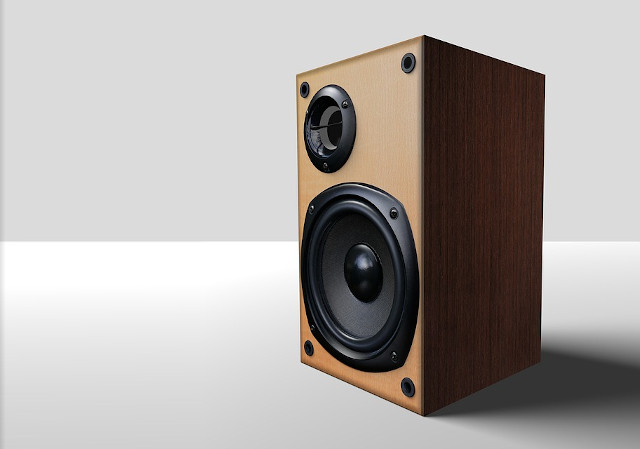
6. How do you know whether or not other people have had the same problem just because of the make or model of the speaker? Always make sure that when you are purchasing some speakers whether separate or with your computer that customers has not consistently had problems with them in the past. Logitech is an example of type of speakers which usually cause problems. Why? Due to issues like wiring problems, sound accelerating problems, etc. Faulty products are common to come across for example, it is not just computer speakers that have made people hoping mad! There have also been problems like faulty mobile phones for example I've heard that this Iphone from apple has had alot of complaints, why I'm not sure exactly! Always be sure to judge what others have said about the speakers, read reviews before you start buying things which you have never bought before. It may also be of interest to you if you are actually buying what you want and have not just mis-heard from an advert.
There are other solutions to your problems but the ones I have currently listed are more than likely to get your speakers working again. I am planning on becoming a youtuber and helping people with common problems that they have come across whilst using their computer in every day life. However these are the only ones that I know of which have worked the past and ironically I'm the in the middle of fixing the sound problem I have myself :P I hope that my answer might have solved the problem if you have not already solved this for yourself, but I advise you in future not to use forums as waiting for a reply for an answer can be stressful and alot of people have already had the same problem! If anyone else has stumbled upon what I have said and would like to either correct me or to just simply point out other ways of fixing this issue I'm other people would like to hear them!
Kind regards,
Wolfbane
Wolfbane
September 2008





 howtomendit.com for free repair help, information and advice.